A journal that knows why you took the trade.
MetaTrader already has a trade history. What it doesn’t have is the reason. JournalX records the setup, the session and the model alongside the fill, then shows you which of them pays.
Try the report.
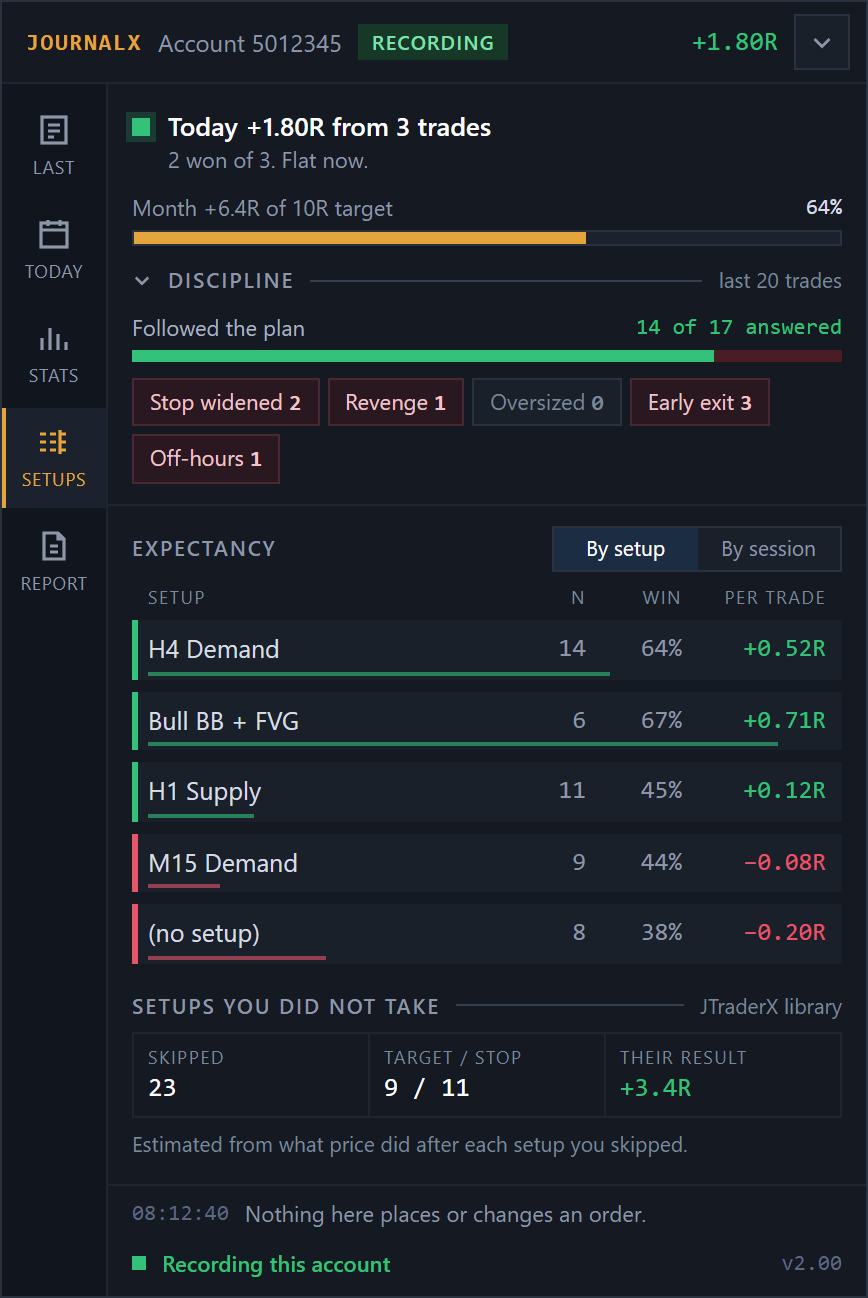
Every journal on the market reads your broker statement, so every journal can tell you the same thing: how much you made. None can tell you whether fresh H4 demand pays better than tested H1 supply.
The same trade, both ways.
Your broker sees a buy, a volume and a profit. JournalX sees the setup that marked the zone, the model that took the entry, the session, and how far the trade went against you. JournalX can, because the tools that marked the zone are the ones feeding it.
It fills itself in.
Setup type and timeframe, fresh or tested, session, execution model, planned and realised R, taken from the tools you already run. You type nothing.
MAE and MFE.
How far each trade went against you before it worked, and how much you gave back at the end, read from the one-minute bars between entry and exit, so a spike between ticks is never missed. Live on the panel while the trade is open.
Yours alone.
Everything stays in MQL5\Files on your machine. No account, no upload, no website subscription.
Did it follow your plan?
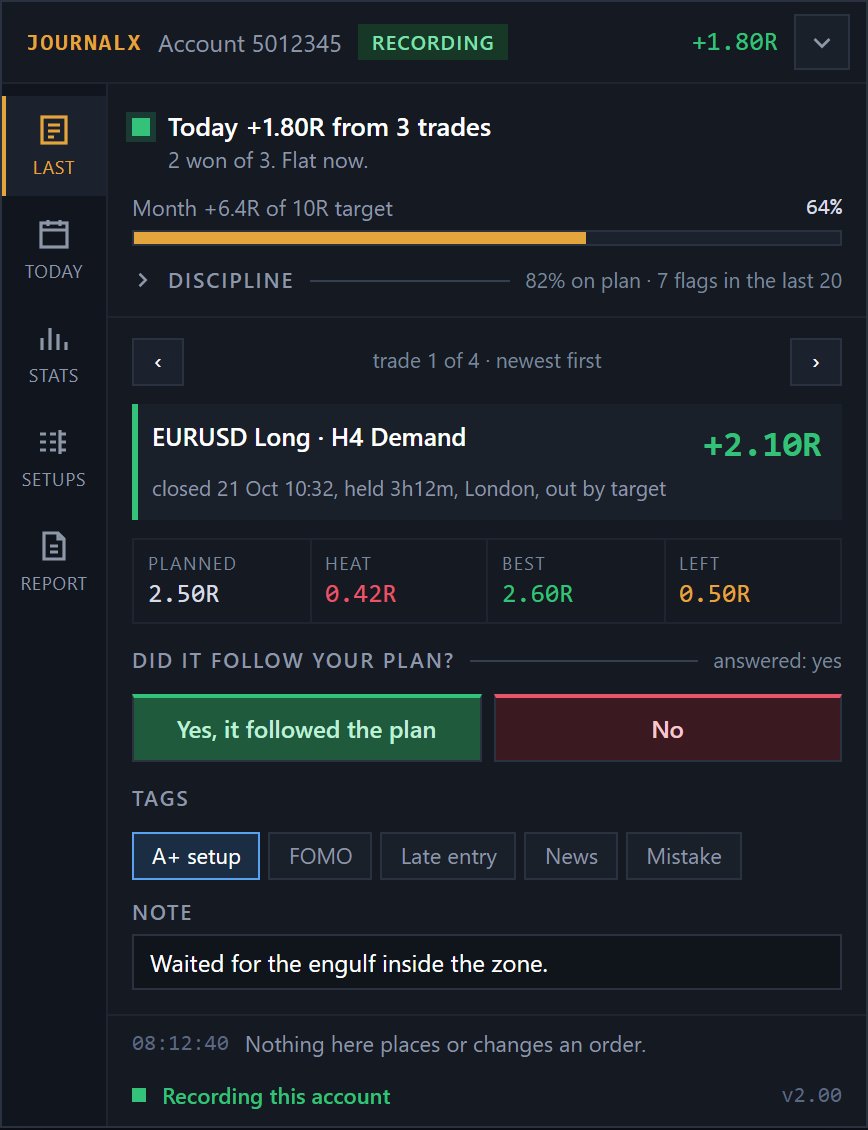
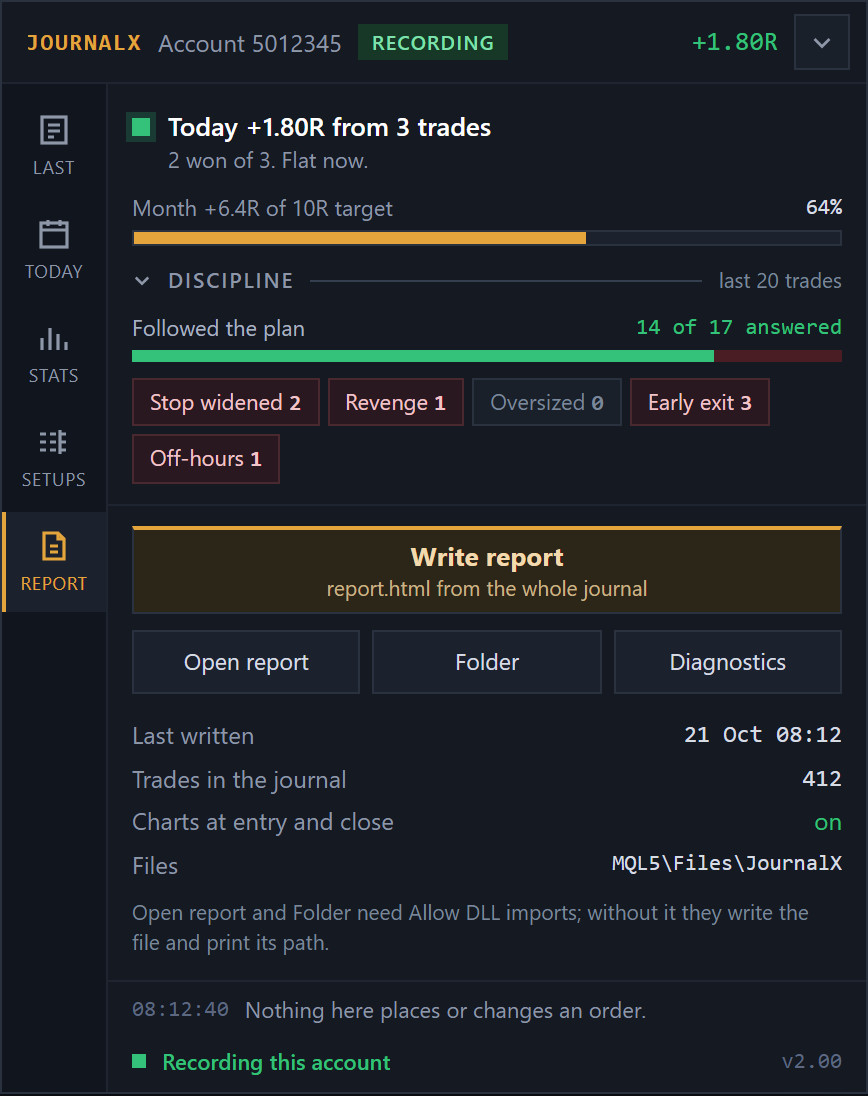
When a trade closes, the panel shows it with the planned R, the heat it took, the best it reached and what was left on the table, then asks one question. Answer yes or no, tag it (A+ setup, FOMO, late entry, news, mistake) and add a note if you want to.
It takes two clicks, and it is the part of a journal that tells you whether the losses came from the setup or from you.
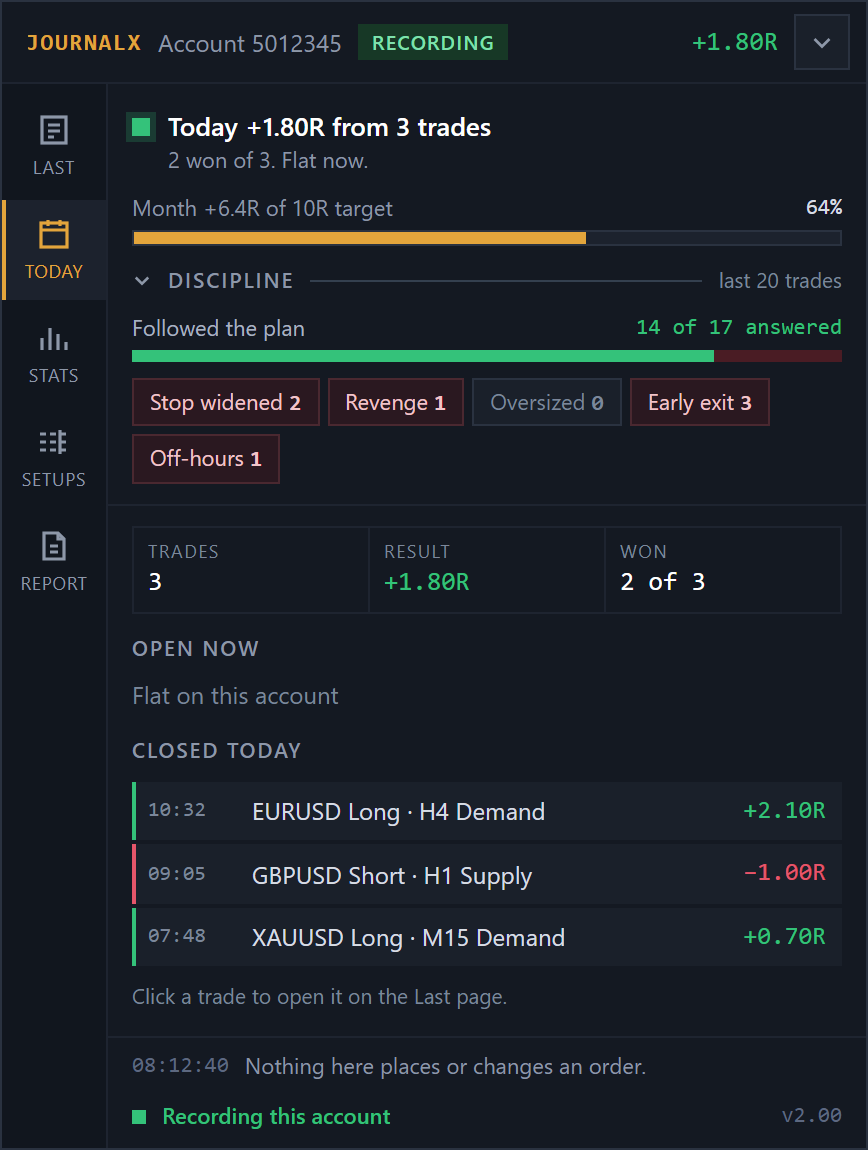
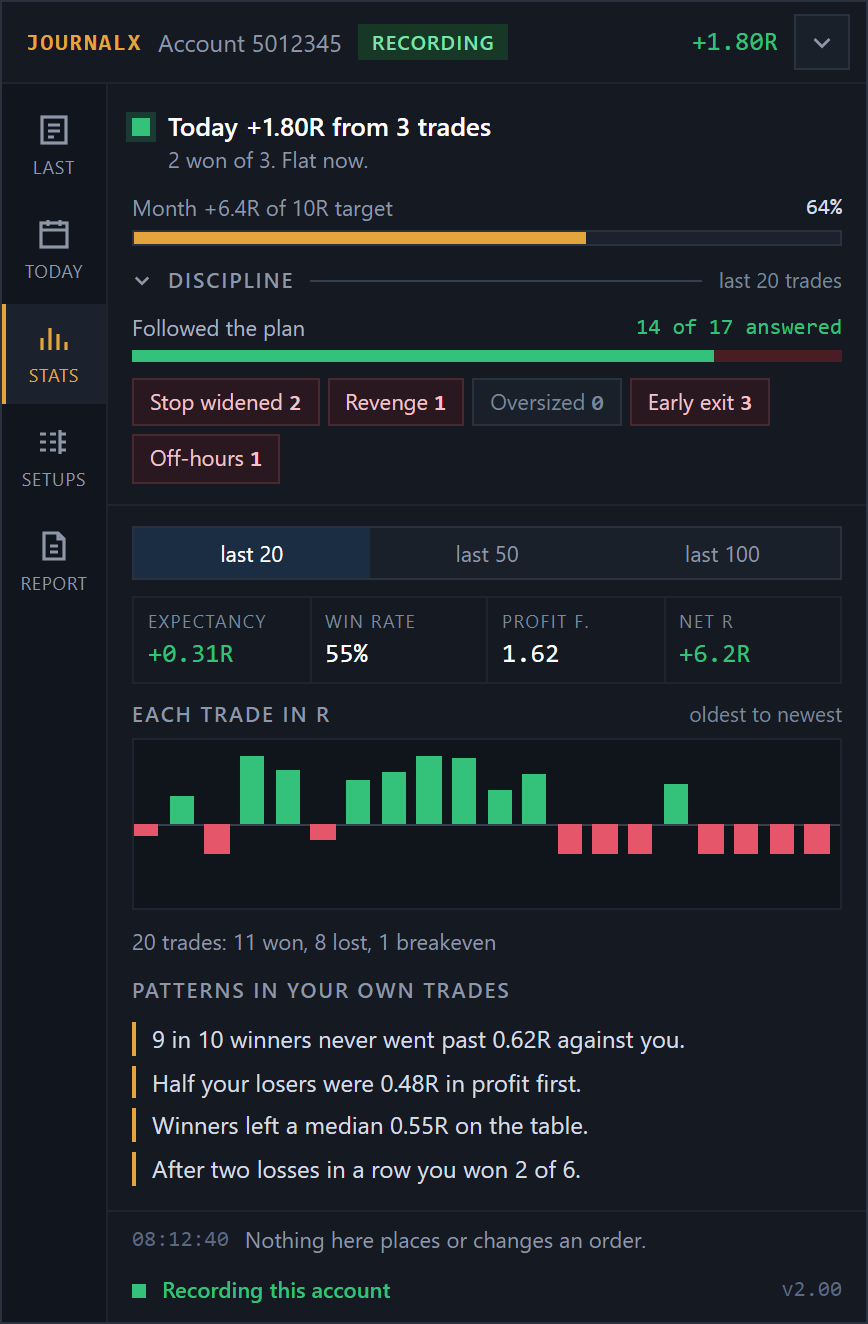
The Discipline summary on every page keeps score over your last 20 trades: how many followed the plan, and how often each tag came up.
Does waiting for the model pay?
Market against limit against EM1 against EM2, with the average slippage on each.
Sample figures.
Your best edge and your biggest leak, named.
Expectancy by setup, entry model, session, weekday, symbol and tag; heat against result; and the trade list with charts at entry and close. All time, 90 days or 30 days, one click. See a sample.
Where each figure comes from.
Where the context comes from
JournalX records every trade on its own, and records far more when the other tools are attached.
With the Suite or JTraderX
The setup, the model and the ladder are recorded because the engine knows them.
With JTrader Copier
A copied trade is marked with the account it came from.
On its own
Every trade still gets session, R, MAE and MFE, and the report still works.
One licence. One MT5 account at a time.
Runs on one MT5 account at a time, with two moves to a new account or broker. Updates and support included.
Card through Stripe. Prefer PayPal? Choose it on the pricing page. 14 days to change your mind: see the refund policy.
Questions
Does anything leave my computer?
No. Files stay in MQL5\Files. There is no account and nothing to sign into.
Will it import my existing trades?
Yes. On first run it reads the account’s deal history. Context fields are blank for those, since the tools were not watching at the time.
Can it place trades?
No, and it never will. It reads. A journal that can trade is a liability.
Does it need the other tools?
No. Every trade still gets session, R, MAE and MFE on its own. The setup and model fields fill in when the Suite or JTraderX is attached.
Read the user manual (PDF, 24 pages, 0.8 MB, for version 2.00). It covers installation, every input and troubleshooting. Anything else, ask support. A person replies.