Confluence, a sized trade and an entry engine.
JTechnical Tool stacks the confluence on your chart, counts it and works out the trade. JTechnicalX places it and manages it. Version 4 splits the panel into cards you arrange on the chart you already have open.
Confluence you can count.
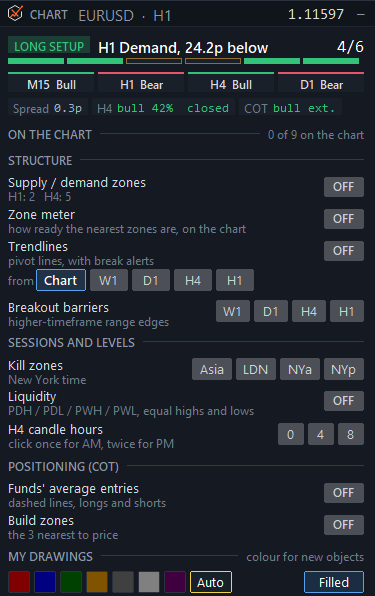
A level is worth trading when several things agree on it. The Chart card lists every layer the Tool draws: supply and demand on two timeframes, the zone meter, trendlines from up to five timeframes, breakout barriers, kill zones, liquidity, premium and discount and the H4 candle hours, in one list with a count of what is on.
The status line reads it back in plain words, for example Price is 1.7p above H1 Bull BB (tested +fvg) · 1 of 2 timeframes bullish · discount, 38% of the H4 range. Switch off a layer that’s noise for your style.
Read the approach before price arrives.
The meter scores the nearest zone, or a box you drew yourself, out of 100 on seven signs of exhaustion, each with its reason and real numbers. Alert at 60, or let it arm EM2. It is evidence, not a forecast, and it says so.
The trade worked out.
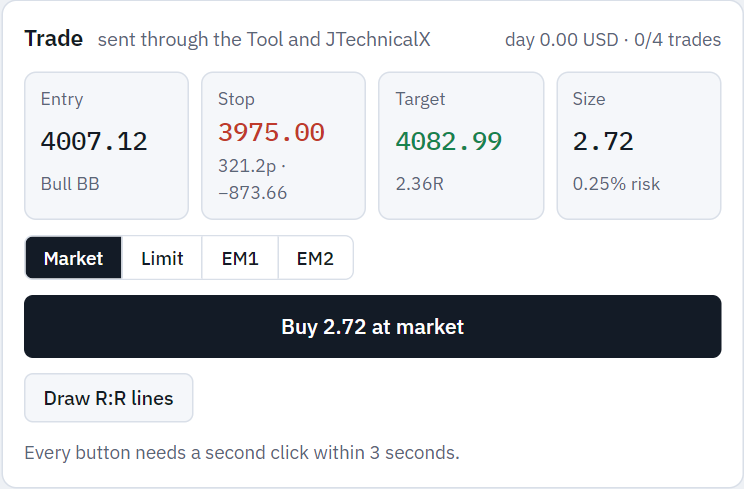
Entry, stop with your buffer, target at the next opposing level, and the lot size that risks the percentage you set, in pips and in cash. Sample figures.
Let it wait for the setup.
Rules the engine keeps for you.
On a prop account, that’s the difference between a bad day and a failed challenge.
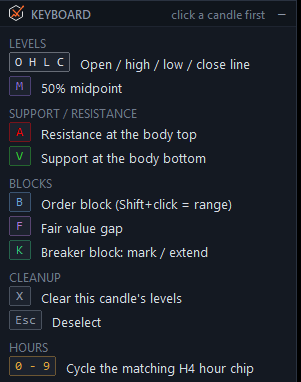
Click a candle, press a key.
O H L C for its levels, M for the midpoint, B for an order block, F for a fair value gap, K for a breaker. Press it again to remove it. The marks stay when you change timeframe.
Managed after the fill.
Your chart, your layout.
The panel is now a set of cards. Open the ones you need, drag them where you want them, and fold the rest away. The analysis and the trading work as before.
Cards that snap
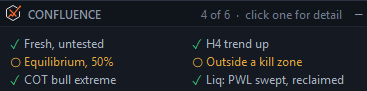
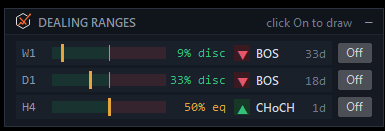
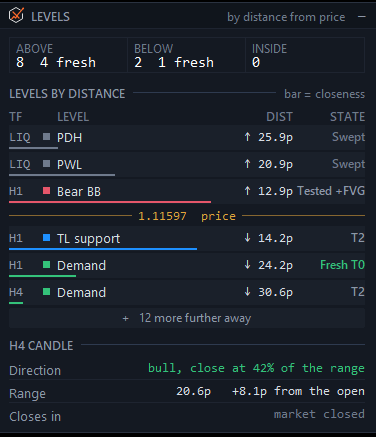
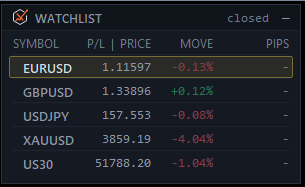
Chart, Confluence, Dealing ranges, Levels, COT, Trade, Partials & breakeven, Settings, Log, Keyboard and the watchlist. Drag a card by its title bar and it snaps to the chart's edges and to the other cards.
Layouts per chart
Default, Scalp, Analyse and Manage, plus three of your own that open on any chart. Each symbol and timeframe keeps its own arrangement, so every chart comes back as you left it.
Always in reach
A tray of card chips bottom left. Bottom right: the chart toggles (Zones, Trend, Labels, R:R, Clear) and a status bar with the EA's state, its last message, diagnostics and a chart screenshot.
On a real chart
Screenshots of the JTechnical Tool 4.00 and JTechnicalX 4.00 cards in MetaTrader 5. Click one to see it full size.
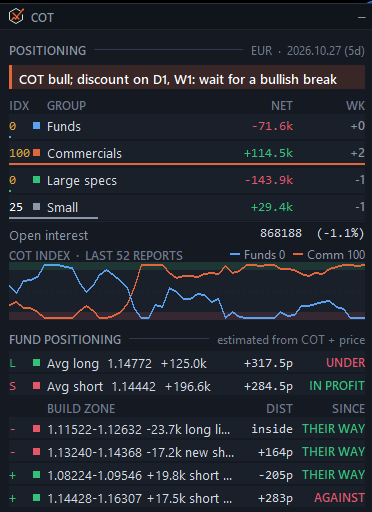
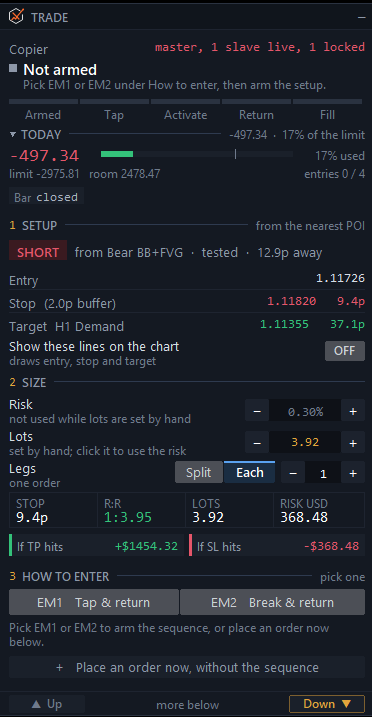
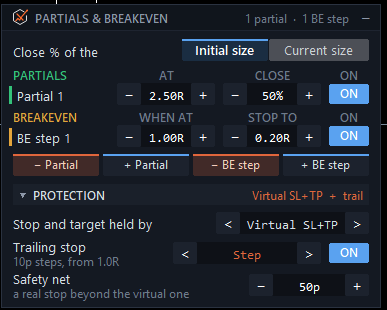
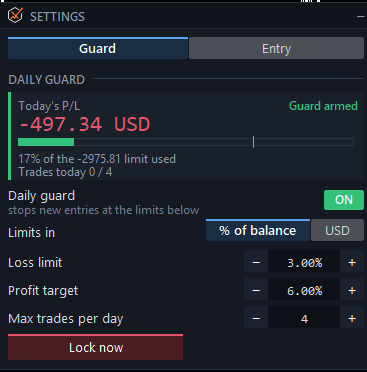
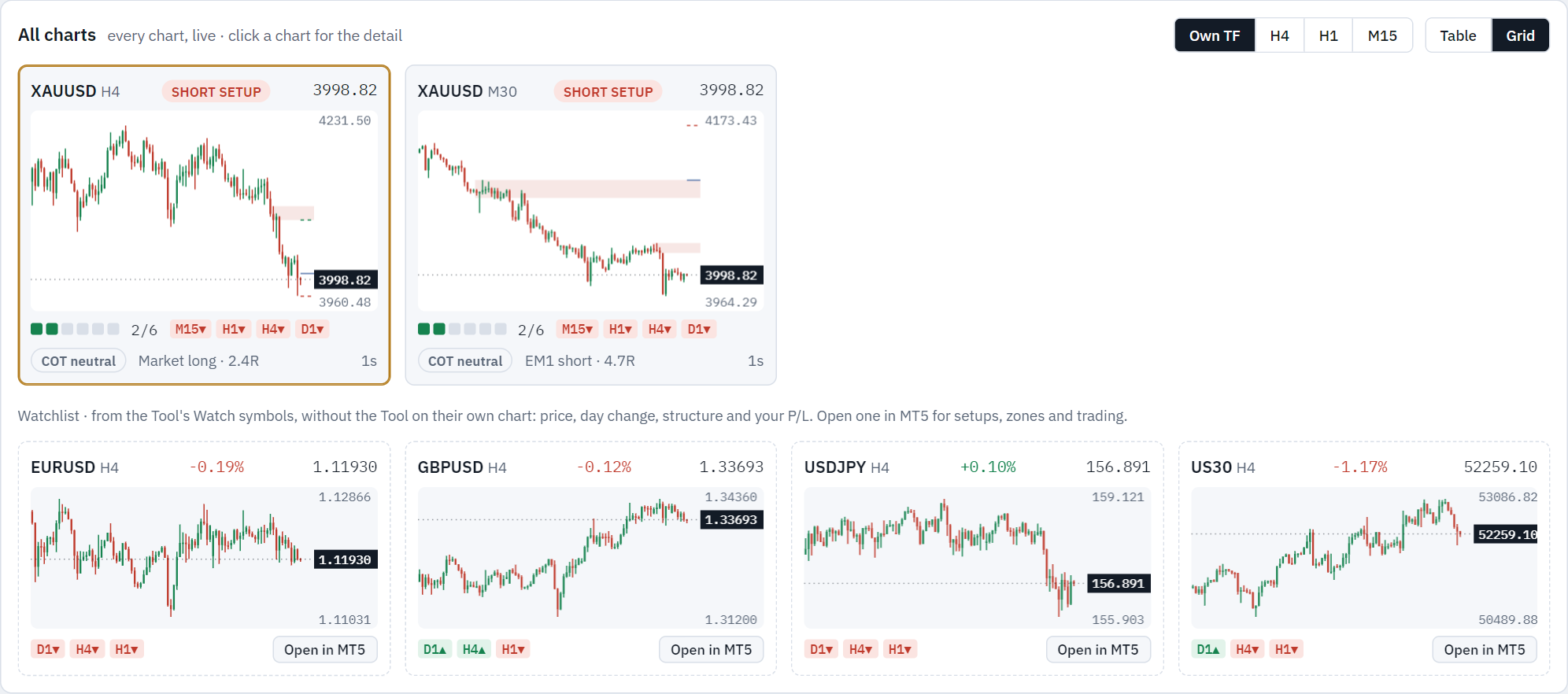
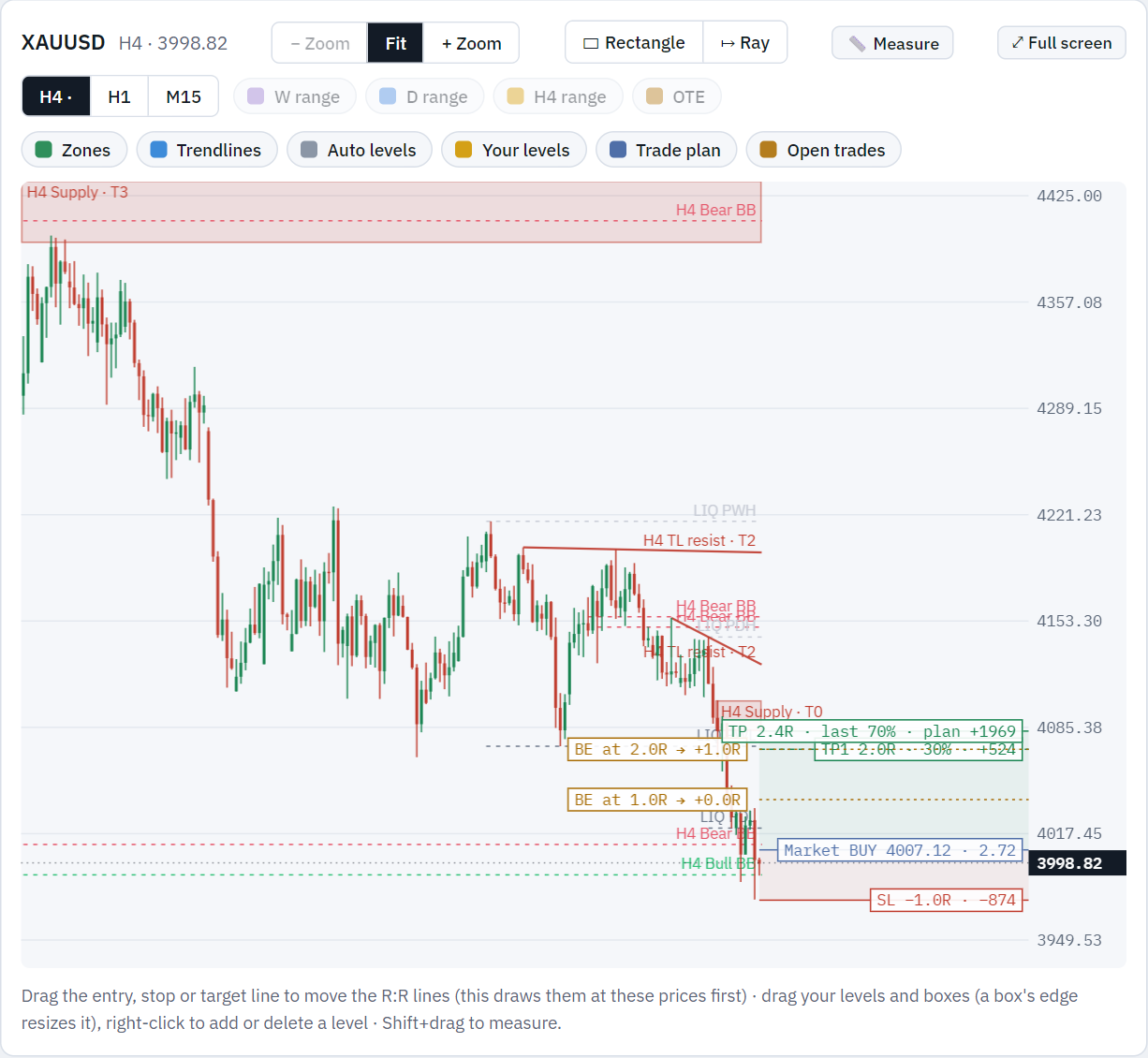
Every chart, in one browser page.
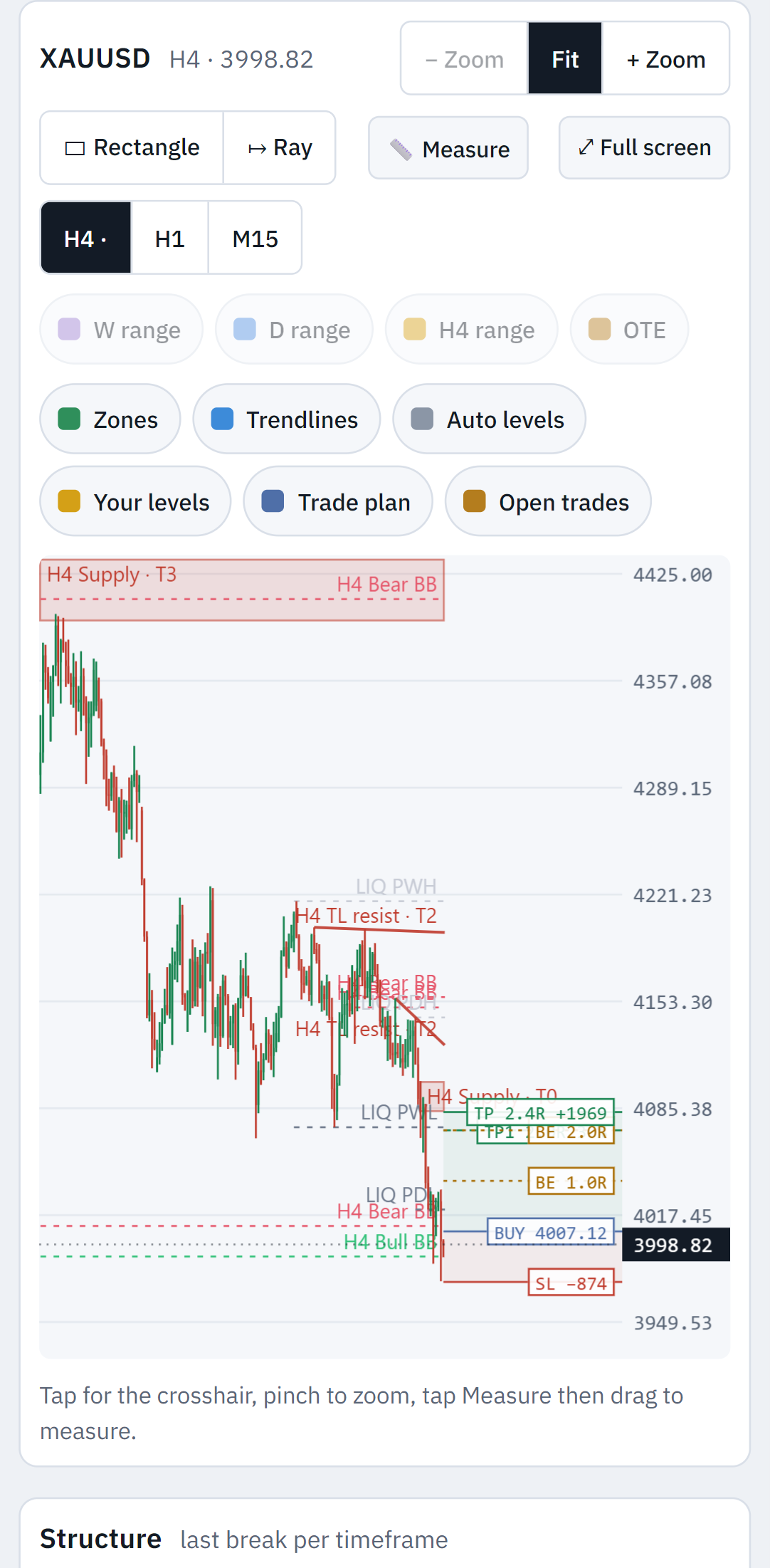
Every chart running the Tool, live in your browser: on the PC, on your phone at home, or from anywhere through your VPS. See the setups, read one chart in depth, and act on it.
Alerts as they happen
New setups, a Confluence score going up, trades opening and closing, and the Tool's own zone and level alerts, with sound and Windows notifications.
The same safety as the panel
Every action is two clicks and runs through the Tool's own buttons, so JTechnicalX still applies its daily guard, size limit and COT filter.
Yours alone
It runs on the computer or VPS that runs MetaTrader 5 and reads the Tool's files there. Nothing goes through our servers.
What the Suite passes on
The Suite is the source of everything the other tools use. Worth knowing before you buy one piece or several.
With JTrader Copier
A trade taken here appears on every account you run, each sized from its own balance and each with its own daily loss cap.
With JournalX
Every trade is recorded with the reason: the zone and its timeframe, fresh or tested, the session, the model, which ladder steps hit.
On its own
Nothing here needs the others. Read the chart, size the trade, take it, manage it, stop at your limits.
One licence. One MT5 account at a time.
Runs on one MT5 account at a time, with two moves to a new account or broker. Updates and support included.
Card through Stripe. Prefer PayPal? Choose it on the pricing page. 14 days to change your mind: see the refund policy.
Questions
What do I get in the 14-day trial?
The full Suite on an MT5 account. No card. When you buy, the same key carries over and your settings stay.
Does it place trades on its own?
No. The indicator cannot trade at all. JTechnicalX only acts on a button you press or a model you armed, and it stops at your daily limits.
Will it work on gold, indices and crypto?
Yes. Cash values come from the symbol’s own tick value, so the figures are right on XAUUSD and US30, not only on FX.
Does it work with prop firm rules?
The daily guard is built for them: loss cap, profit target and trade cap, with the day rolling at an hour you set to match your firm rather than your broker.
Can I use it on more than one account?
Not at the same time. A licence runs on one MT5 account at a time. If you change account or broker, move it yourself from your licence page: two moves are included, and support can add more.
What if my broker adds a suffix to symbol names?
Handled. The tools read the chart symbol rather than assuming a name.
Is a VPS needed?
Only if you want an armed entry model watched while your computer is off.
What does the Suite dashboard need?
Just the JTechnical Tool on each chart you want to see. The dashboard is one program you download with the Suite: unzip it on the computer or VPS that runs MetaTrader 5, start it with one click and open it in your browser; for your phone, set a password and allow your home Wi-Fi, or use Tailscale to reach your VPS. It is included with the Suite.
Read the user manual (PDF, 76 pages, 3.0 MB, for Tool 4.00 and JTechnicalX 4.00). It covers installation, the cards and layouts, every input and troubleshooting. Anything else, ask support. A person replies.